


Le Figaro.fr: Actu en direct
4.8263.00 Reviews
App Specs
- Version
- 6.4.1
- Updated On
- License
- Free
- Downloads
- 5,000,000+
- Developer
- Société du Figaro
- Categories
- News & Magazines
- Platform
- Android, iOS
Screenshots
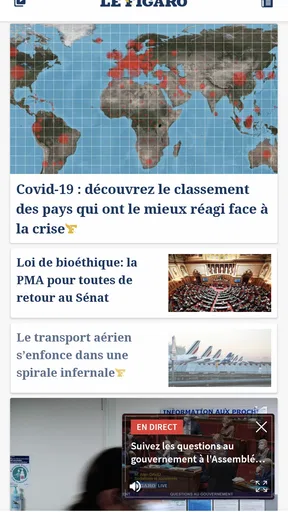

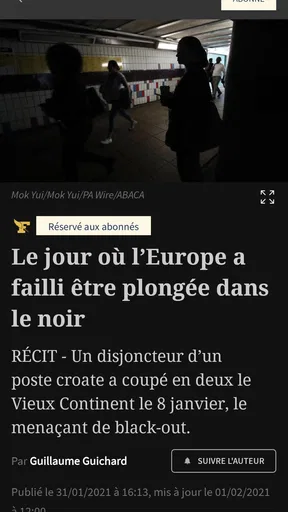
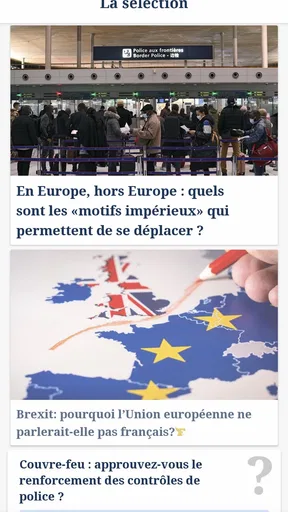
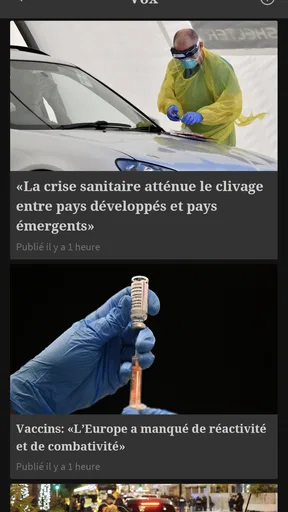

 Analysis by AppCompare
When I try a news app for the first time, I want to know two things quickly: can I find a useful story without digging, and will I understand what I’m reading? Le Figaro.fr: Actu en direct is a French news app from Société du Figaro, aimed at readers who want a steady view of current events in France and abroad. Its name and editorial focus make the main point clear: this is a place to follow news, not a general-purpose portal or a social feed.
The app is free to install and is rated for Everyone. It has a 4.8 average from around 46,000 ratings, and has passed five million installs. Those figures suggest broad use, but they don’t tell you whether its coverage suits your interests; that depends more on whether you want a French publication’s take on the day’s events. I’d treat it as a useful source to add to a reading routine, rather than as the only place to check when a story is developing.
What to expect from a French news app
Le Figaro sits in the News & Magazines category, so the core experience is reading and following current affairs. That makes it a natural fit if you’re comfortable reading French or are actively learning it. If you mainly want English-language reporting, a publication built around English coverage will be a better everyday choice; machine translation can help with individual passages, but it may blur nuance in political or cultural reporting.
It’s also worth setting expectations about the word “live.” News can move quickly, but a live-updating publication is not the same as a personal alert system that guarantees you’ll see every major development at once. I’d use it when I have a moment to check the news, then compare important or fast-changing stories with another trusted source before making decisions based on them.
Starting out and finding a first story
The first visit is easiest if you approach the front page as a starting point rather than trying to customize everything immediately. Open the app, scan the prominent headlines, and choose one story that genuinely interests you. That first small action tells you more than browsing menus: you can see whether the writing, subject matter and pace suit you before investing time in a larger reading routine.
Le Figaro’s current version is 6.3.6, and it requires Android 9 or later. If your phone is older, check compatibility in the relevant app store before planning to use it. The app has been around since its October 4, 2011 release, but a long-running publication and a recent version number don’t automatically mean every screen will feel familiar; give yourself a short first session to find the sections you’re likely to revisit.
For a practical first-day routine, I’d check the main headlines once, open a report that gives context rather than just a brief update, and then return later to see how the story has moved. This is more useful than refreshing repeatedly. It also helps you learn the publication’s style and decide whether you want a broad overview or a deeper read.
Worth Reading Before You Choose

EA SPORTS FC Mobile 26 Is a Bigger Football Game, but It Takes Time

Flipboard Shows What News Apps Must Do Beyond the Feed

Switching to Android Auto Means Rethinking Your Driving Routine

Google Calendar Makes a Crowded Week Easier to Manage

Ludo King Makes the Most of the Minutes Between Plans

Baby Panda World Brings Quick Play to Modern Phones, but Its Game Library Feels Busy
Reading habits, costs and useful trade-offs
The app is free, but it offers in-app purchases priced from $0.99 to $309.99 per item. That wide range is a good reason to pause before confirming any purchase and read the terms shown in the app carefully. If you only want to sample the headlines, start with the free experience and decide whether any paid option matches how often you read. Don’t assume that installing the app means you have chosen a subscription or that every article will necessarily be available under the same terms.
One useful way to avoid news overload is to make each visit purposeful: choose a topic, read one complete piece, and leave when you have the context you need. On a commute, for example, I’d scan the headlines while waiting, save my attention for one longer article when I’m seated, and avoid treating every update as something that needs an immediate reaction. That habit makes a continuously updated news source more manageable.
For readers who follow French politics, culture or national debates, the app can be a convenient regular stop. For someone who wants a wide range of international perspectives, it works better alongside other publications than as a replacement for them. The editorial viewpoint of any one newspaper shapes which stories receive attention and how they are framed; checking a second source is especially sensible when a topic is contentious or still changing.
Getting Started with Le Figaro.fr
First things first, downloading the app is a breeze. Whether you're on Android or iOS, just head over to the app store, type in Le Figaro.fr: Actu en direct, and hit that download button. Voila! You're ready to dive into the world of news.
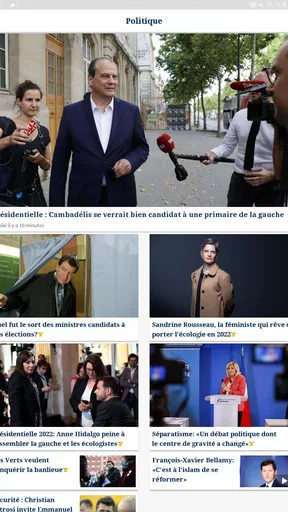
Upon opening the app, you're greeted with a clean and intuitive interface. The layout is straightforward, which I personally love because who wants to fumble around just to find the latest updates? The top stories are right there, front and center. You can scroll through various categories like politics, sports, culture, and more, making it super easy to find what you're interested in.
Features Worth Exploring
Now, let’s talk about the features that make this app stand out. One of the coolest things is the live news updates. It’s like getting real-time notifications for the world’s biggest events. Whether it’s a political debate or a breaking story, you’re always in the loop.
There’s also a handy section for video content. If you’re anything like me and prefer watching over reading sometimes, this is a lifesaver. The videos are crisp, and the streaming is smooth, even on a mediocre internet connection.
Don’t even get me started on the personalization aspect. You can tailor your news feed based on your interests. Into tech news? No problem, just set it up, and you’ll get all the updates on the latest gadgets and innovations. It’s like the app gets to know you and your preferences over time.
Usability and Performance
When it comes to usability, the app scores high in my book. The navigation is seamless, and the app runs without any glitches. I’ve used some apps where crashing is a regular occurrence, but thankfully, that’s not the case here. Everything loads quickly, and the transitions are smooth.
One thing I noticed is the app’s compatibility with different devices. Whether you’re using a smartphone or a tablet, the experience is consistently good. The design adapts well to different screen sizes, which is a huge plus.
A useful next step after choosing an interest is to keep your front page broad enough to surprise you. If I narrow a feed too quickly to one hobby or beat, I can miss the local or national story that explains why a topic is suddenly in the headlines. I’d start with a mix, then refine only after a few visits, when I know which sections I actually open rather than which ones sound appealing.
How it fits beside other news sources
Compared with a general news aggregator, a newspaper app gives you a more consistent editorial voice and a clearer sense of how one newsroom prioritizes the day. That can be an advantage when you want a coherent read, not a pile of links chosen by different outlets. The trade-off is breadth: an aggregator may make it easier to compare coverage across publishers, while Le Figaro gives you a more focused route into its own reporting.
Social networks can be faster at surfacing a developing story, but speed often comes with fragments, commentary and unverified claims mixed together. I prefer to use a social feed as a pointer, then open a report in a publication such as Le Figaro for a fuller account. If I need a neutral comparison on a sensitive subject, I would read another established outlet too instead of treating a single article as the last word.
There’s also a practical difference between a news app and a browser bookmark. A bookmark is enough if you only visit one website occasionally and don’t need a dedicated reading space. The app makes more sense if you check headlines repeatedly or want its subject categories close at hand. If you’re trying to reduce screen time, though, a deliberate browser visit may be preferable to adding another app to your daily routine.
Small habits that make reading more useful
When a headline is written to catch attention, I try to read beyond the first few lines before deciding what the story means. For a complicated event, I look for the article’s timeline, the people or institutions involved, and what is still uncertain. That simple order prevents a quick headline scan from turning into a confident opinion built on too little context.
Video is convenient when my hands are busy or I want a different format, but it is not always the best choice on a short break. A written article is easier to scan for a name, date or detail, and it lets me move at my own pace. I’d treat the video section as an alternative way into coverage, not a replacement for reading when precision matters.
If a story affects a practical decision, such as travel, health or personal finances, I would use the app to understand the news and then check the relevant official source for instructions. Journalism helps explain events; it is not a substitute for current guidance from the organization responsible for a service or rule. That distinction is especially helpful when a developing report changes over the course of the day.
Who is likely to enjoy it—and who may not
I’d recommend trying it if you read French and want a familiar place to check national news, alongside international coverage, without building a routine from scattered links. It may also suit a French learner who is ready for authentic articles and can tolerate looking up unfamiliar expressions. In that case, I’d choose one short story at a time and focus on understanding the overall point rather than translating every sentence.
It is a weaker match if you need English-first reporting, want every viewpoint gathered in one feed, or prefer to avoid in-app purchase prompts altogether. It may also be unnecessary if you only need occasional alerts or already have a news source that fits your reading habits. The best reason to install it is not its popularity alone; it is that its French coverage is useful to you often enough to earn a place on your phone.
A sensible next step
My recommendation is to give the app a short, low-pressure trial: open it when you have a few minutes, read one story from a section you care about, and notice whether you want to return. Keep your first visit simple, and make any spending decision only after checking what the app is offering at that moment. That approach answers the questions that matter most—whether the language, coverage and reading experience suit you—without turning a download into a commitment.
Wrapping It Up
In conclusion, Le Figaro.fr: Actu en direct is a solid choice for anyone looking to stay informed without the hassle. It combines a sleek design with powerful features that make accessing the news straightforward and enjoyable. Whether you’re a news junkie or someone who just wants to catch up on the go, this app has got you covered.
So, if you haven’t already, give it a try. Download it, explore the features, and see for yourself why it’s a top choice for many. Trust me, once you start using it, you’ll wonder how you ever managed without it. Happy news hunting!
Pros
- Comprehensive news coverage.
- User-friendly interface.
- Customizable alerts.
- Fast loading times.
- High-quality multimedia content.
Cons
- Frequent ads can be intrusive.
- Limited offline access.
- Occasional app crashes.
- Some sections lack depth.
- Subscription required for premium content.
FAQs for Le Figaro.fr: Actu en direct
What features does Le Figaro.fr: Actu en direct offer?
Le Figaro.fr: Actu en direct provides real-time news updates, in-depth analysis, and articles covering a wide range of topics, including politics, economy, culture, and sports. The app also offers video content, live event coverage, and personalized news alerts to keep users informed on the go.
Is Le Figaro.fr: Actu en direct available for free?
Yes, the app is available for free download on both Android and iOS platforms. However, it offers in-app purchases and subscription options for users who want to access exclusive content, ad-free experience, and additional features such as offline reading and personalized news feeds.
How can I customize my news feed in the app?
Le Figaro.fr: Actu en direct allows users to personalize their news feed by selecting topics of interest. This can be done through the app settings, where you can choose categories such as politics, sports, or technology. The app then curates a tailored news experience based on your preferences.
Does the app support offline reading?
Yes, Le Figaro.fr: Actu en direct supports offline reading for subscribed users. This feature allows you to download articles and read them later without an internet connection. It’s particularly useful for commuters or when traveling in areas with limited connectivity.
What languages does Le Figaro.fr: Actu en direct support?
The primary language of Le Figaro.fr: Actu en direct is French, as it is a French news outlet. However, it may offer some content in English or provide translation options for non-French speakers. Users should check the app settings for language support and translation services.


